We built an AI creative director for eLearning (Gemini Live Agent Challenge)

We built something a little different for the Gemini Live Agent Challenge.
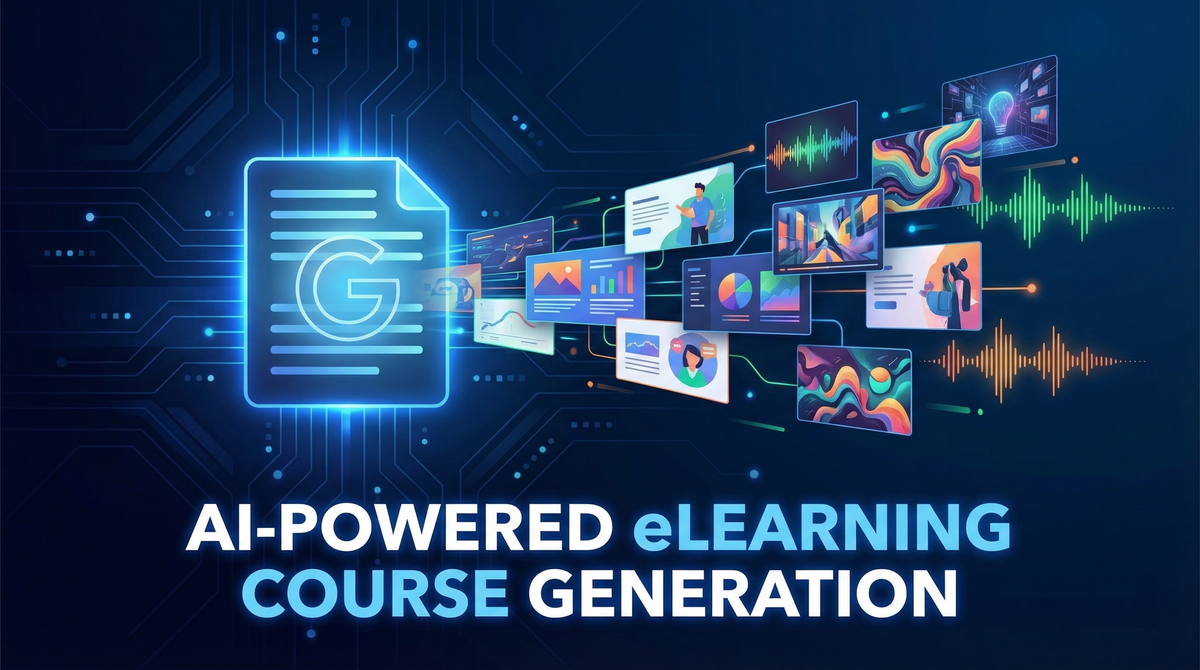
Not a chatbot. Not a summarizer. An autonomous creative director that takes a dense corporate document and turns it into a deployable eLearning course in under two minutes.
We're calling it Doc2SCORM Director.
The problem we keep running into
Subject matter experts write documents. Compliance policies, safety manuals, onboarding guides, technical specs. Then someone hands those documents to an L&D team and says "turn this into training."
What happens next is slow and expensive. You need an instructional designer to structure the content, a graphic artist to make it visual, a voice actor for narration, and an LMS developer to package it all. Weeks of work, thousands of dollars, and the output is usually still a wall of text with a quiz bolted on the end.
We wanted to see how far we could push Gemini to collapse that entire pipeline.
What the agent actually does
Upload any document. PDF, DOCX, Markdown, plain text. The agent reads it and proposes three narrative directions with distinct tones and story angles. You pick one. Then a single Gemini API call generates the full course.
Not "the text content." The full course. Story screens, original illustrations, an adaptive color theme, interactive decision points, scored quiz questions, and per-screen narration audio. Packaged as a SCORM 1.2 ZIP that uploads to any LMS.
Under two minutes, start to finish.
The part that changed how we think about multimodal generation
Most AI apps make separate calls for text and images. Write the content first, then generate illustrations after.
We used responseModalities: [TEXT, IMAGE] with gemini-3.1-flash-image-preview to get interleaved output from a single call. The model returns alternating text parts and inline image parts in one response. Scene description, then illustration. Next scene, then its illustration. All in one creative pass.
The difference in coherence is real. The model generates each illustration immediately after writing the scene it belongs to, in the same context. The visuals actually match the narrative because they came from the same "mind" at the same time. Separate calls can not replicate that.
The three-model pipeline
Three Gemini models do different jobs:
- gemini-2.5-flash analyzes the source document and generates three story direction proposals with distinct titles, tones, and hooks.
- gemini-3.1-flash-image-preview produces the full course content with interleaved text and images, plus an adaptive color theme matched to the subject matter.
- gemini-2.5-flash-preview-tts generates professional narration for every screen, encoded from raw PCM to WAV.
The adaptive theming is worth mentioning separately. The model selects five CSS color tokens based on course topic. Cybersecurity training gets deep navy and electric blue. A cooking course gets warm amber and terracotta. The entire glassmorphism UI transitions to the new palette when generation completes. It is a small thing that makes the output feel considered rather than generic.
SCORM output and the public gallery
The SCORM 1.2 export includes the manifest, a custom player, all images and audio baked in, and full LMS API integration for completion and score tracking. Upload it to Moodle, SCORM Cloud, Canvas, TalentLMS, whatever your org uses. It works.
For teams without an LMS, there's a one-click publish to a public gallery hosted on Google Cloud Storage. The course gets a shareable URL with a standalone player. No login, no LMS, just a link.
What we learned building it
Interleaved generation is harder to parse than separate calls but worth the complexity. Keeping structured blocks in the text output ([THEME], [SCENE], [QUIZ]) gave us reliable data extraction even from a mixed multimodal response.
TTS reliability is still something you have to design around. We catch failures per-screen and fall back to displaying the transcript. The course stays functional regardless.
The color anchoring problem was unexpected. Early prompts that used green examples kept producing green themes no matter what topic you uploaded. Removing all green examples and explicitly telling the model "the default is already green, pick something different" fixed it. Prompt engineering for creative behavior is its own discipline.
Try it
The live app is running on Google Cloud Run: https://doc2scorm-backend-531437972620.us-central1.run.app
Source code is on GitHub: https://github.com/onEnterFrame/doc2SCORM
Demo video: https://youtu.be/MW1PiMkM96Q
Upload a document you've been meaning to turn into training for a while. See what happens.